AI Bikini Generator vs. AI Clothes Changer: Which Should You Use?
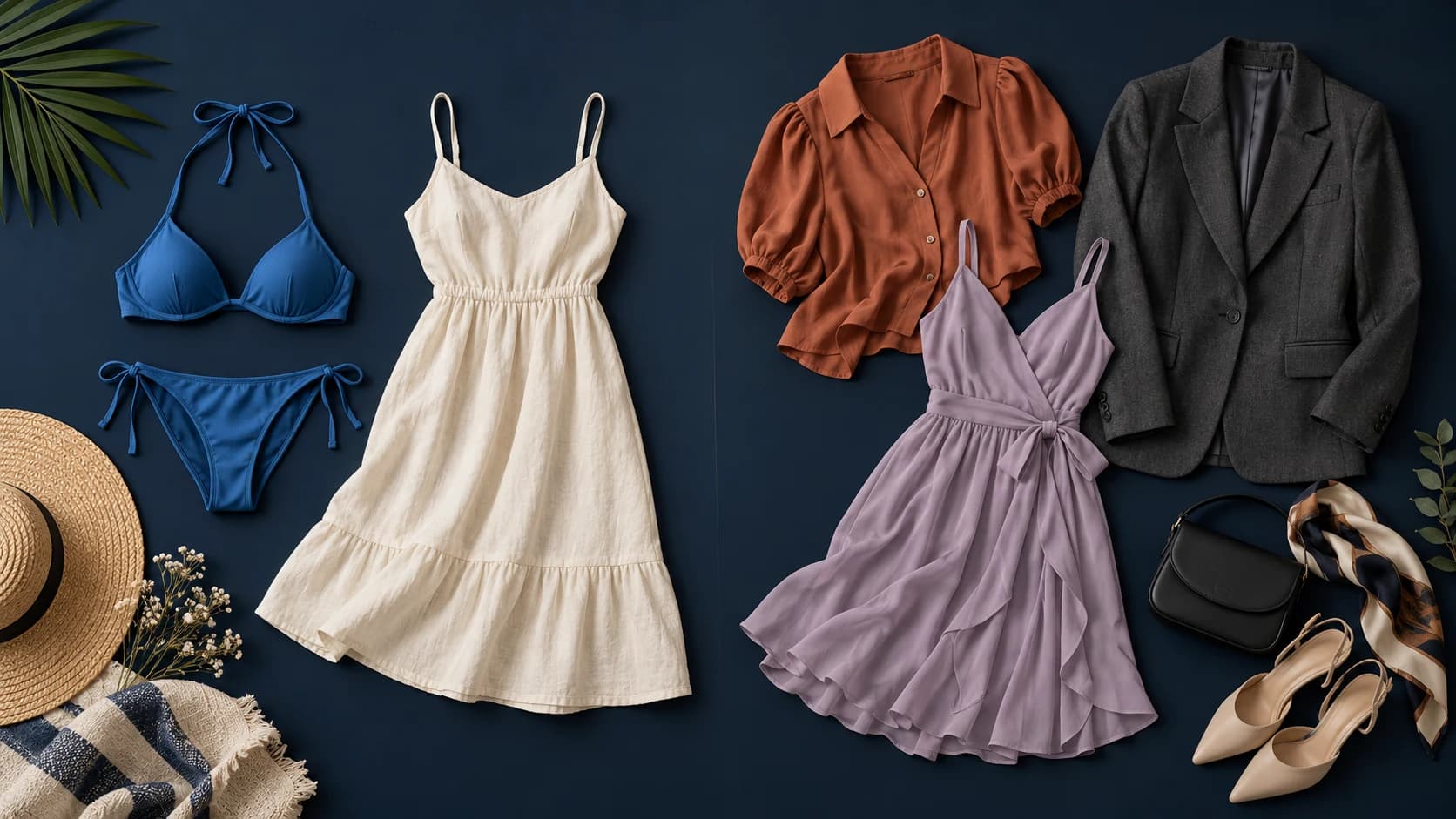
Want to see yourself in a different bikini? An AI bikini generator is a useful place to start. If you also want to try summer dresses, casual shirts, or a new outfit for a night out, an AI clothes changer gives you more styles to explore. Check whether you can upload your own photo and a picture of the clothes you like.
The distinction is less rigid than the names suggest. Some clothes changers include bikini presets, and some bikini generators offer broader image editing. What you can upload and change matters more than the name on the page.
Editorial note: AI Bikini Generator is our product. This comparison draws on the features of our tool and the official pages linked below, checked on October 14, 2026. It compares documented features and use cases; it does not rank output quality from a side-by-side generation test.
AI bikini generator vs. AI clothes changer: which photos do you need?
An AI bikini generator creates swimwear images. Depending on the tool, it may start with a text description, a person photo, a swimsuit image, or a combination. If you want to change an outfit in your own picture, look specifically for person-photo input. A text-only generator serves a different purpose.
An AI clothes changer replaces or reimagines clothing in an existing image. Its wardrobe may cover everyday outfits, formalwear, wedding dresses, and swimwear. Some tools let you brush over the clothing area; others offer presets, garment references, or text instructions.
Both categories can overlap with virtual try-on. For a specific bikini design, a separate garment image gives you visual details to compare against the result: straps, neckline, print, and coverage. Reference support is useful in either category, although it does not guarantee an exact reproduction.
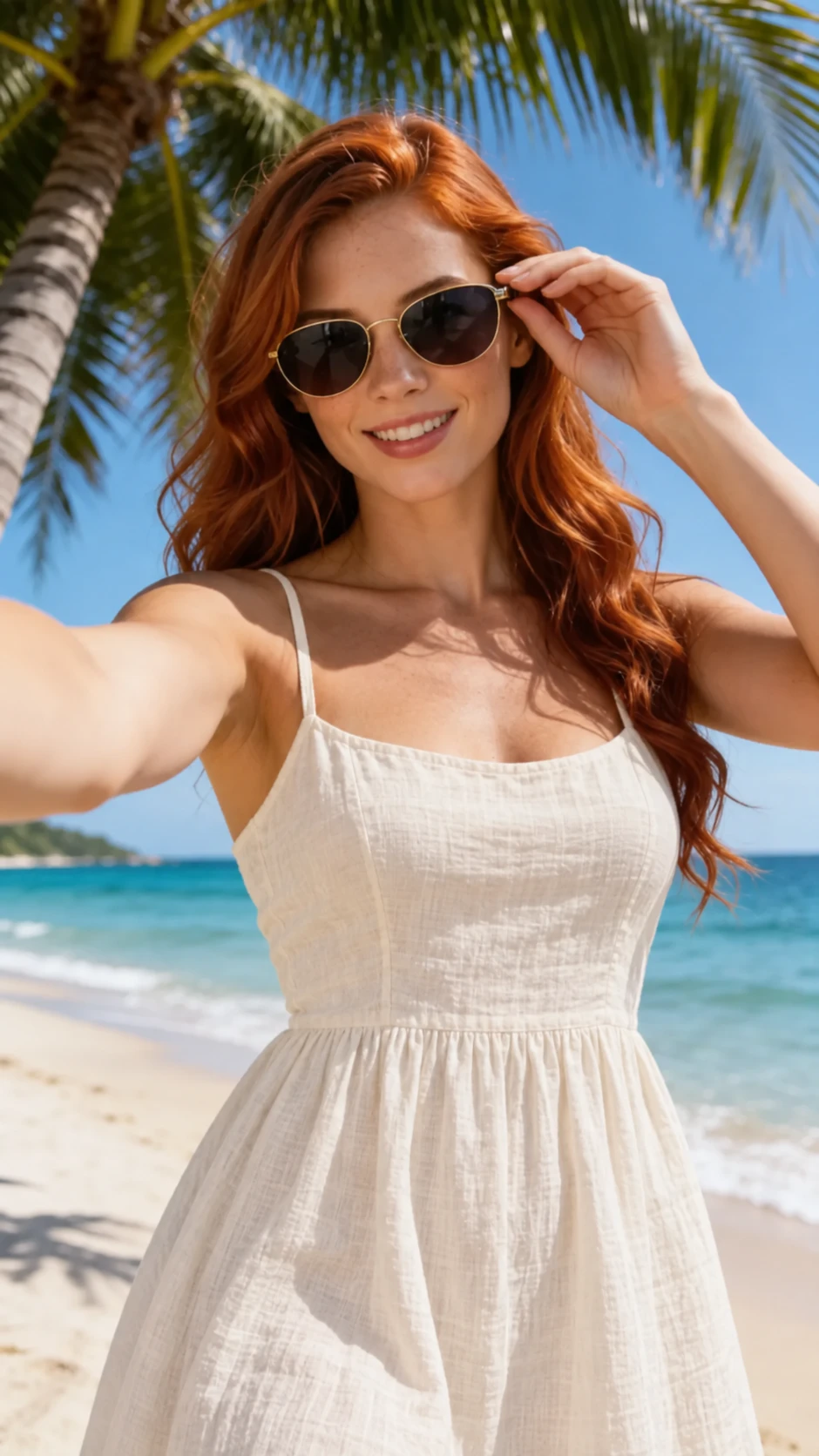 Person reference
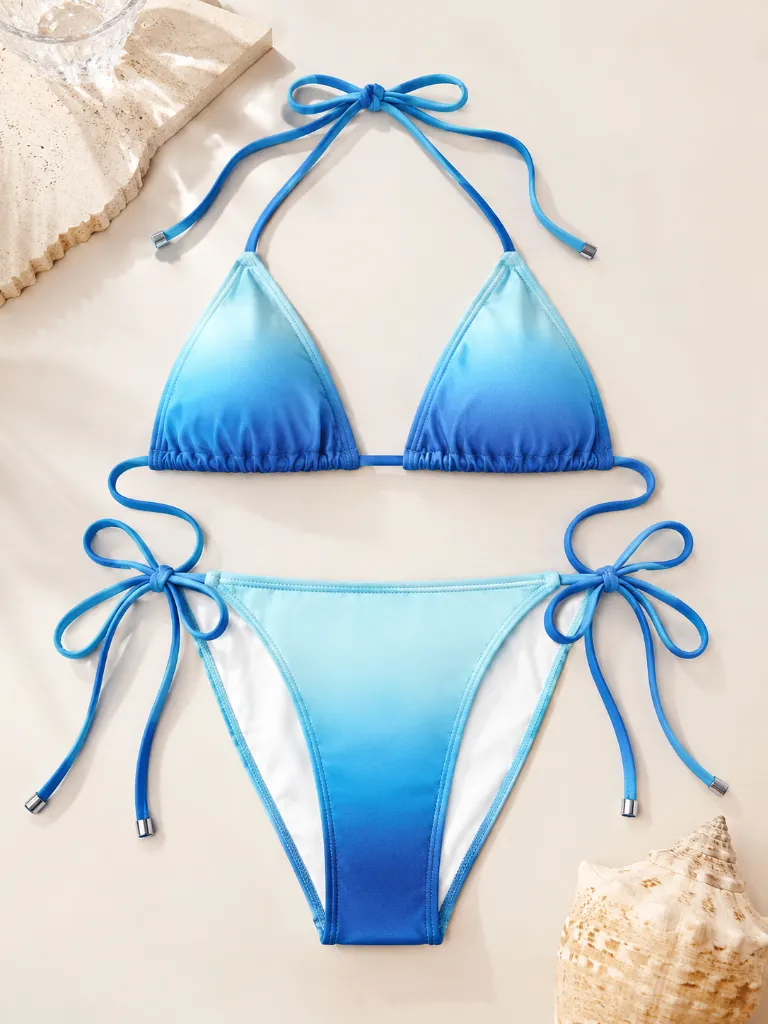 Swimsuit reference
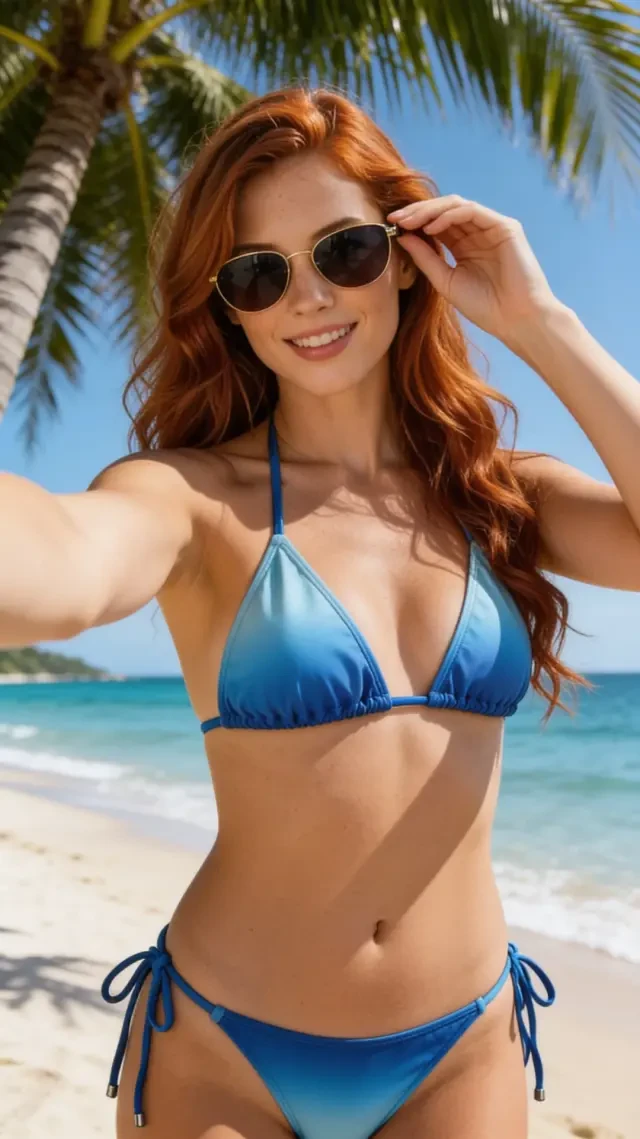 Illustrative result
Illustrative outfit-change example. The summer-dress image was created by editing the bikini image to provide a matching person reference. Actual results vary.
| What matters to you | AI bikini generator | AI clothes changer |
|---|---|---|
| What you want to try | Try different bikinis and beach looks | Try dresses, shirts, suits, and other outfits |
| Your photo | Check for photo upload if you want to use your own picture | Check that the editor accepts your photo |
| Choosing clothes | Look for swimsuit references or suitable presets | Look for garment references, presets, or prompts |
| Changing part of an outfit | Check whether you can select an area or request a focused change | Some tools offer a brush or region selection |
| Background and pose | Our tool retains the original pose, expression and background | May preserve the scene or let you describe a new one |
| Details to check | Inspect the actual output and its reference fidelity | Apply the same inspection criteria |
| Using it online | Available in web tools; verify the chosen product | Available in web tools; verify the chosen product |
These are selection criteria, not features guaranteed by every tool in a category.
What AirBrush, BeautyPlus, and Kaze show about the overlap
AirBrush's AI Clothes Changer describes outfit presets, area highlighting, and text customization. Its page includes wedding dresses, suits, and bikini styles. It is an example of a general outfit changer that also addresses swimwear.
BeautyPlus's AI Clothes Changer describes presets, prompt-and-brush editing, and uploading a reference outfit. It also includes a bikini styling section. A separate garment image is therefore not exclusive to specialist tools.
Kaze's AI Bikini Generator presents a dedicated swimwear page with photo-upload and text-prompt use cases. That illustrates a more focused entry point for someone searching specifically for bikini images.
These pages describe what each tool lets you do. To see which one gives you a photo you like, try the same picture of yourself and the same swimsuit reference in each, then compare the results.
When you want to try a different bikini
AI Bikini Generator provides separate person and bikini controls. You can upload your own authorized adult photo or choose a model, then select a bikini or upload a garment reference. This suits someone who already has a person image and a swimwear look in mind.
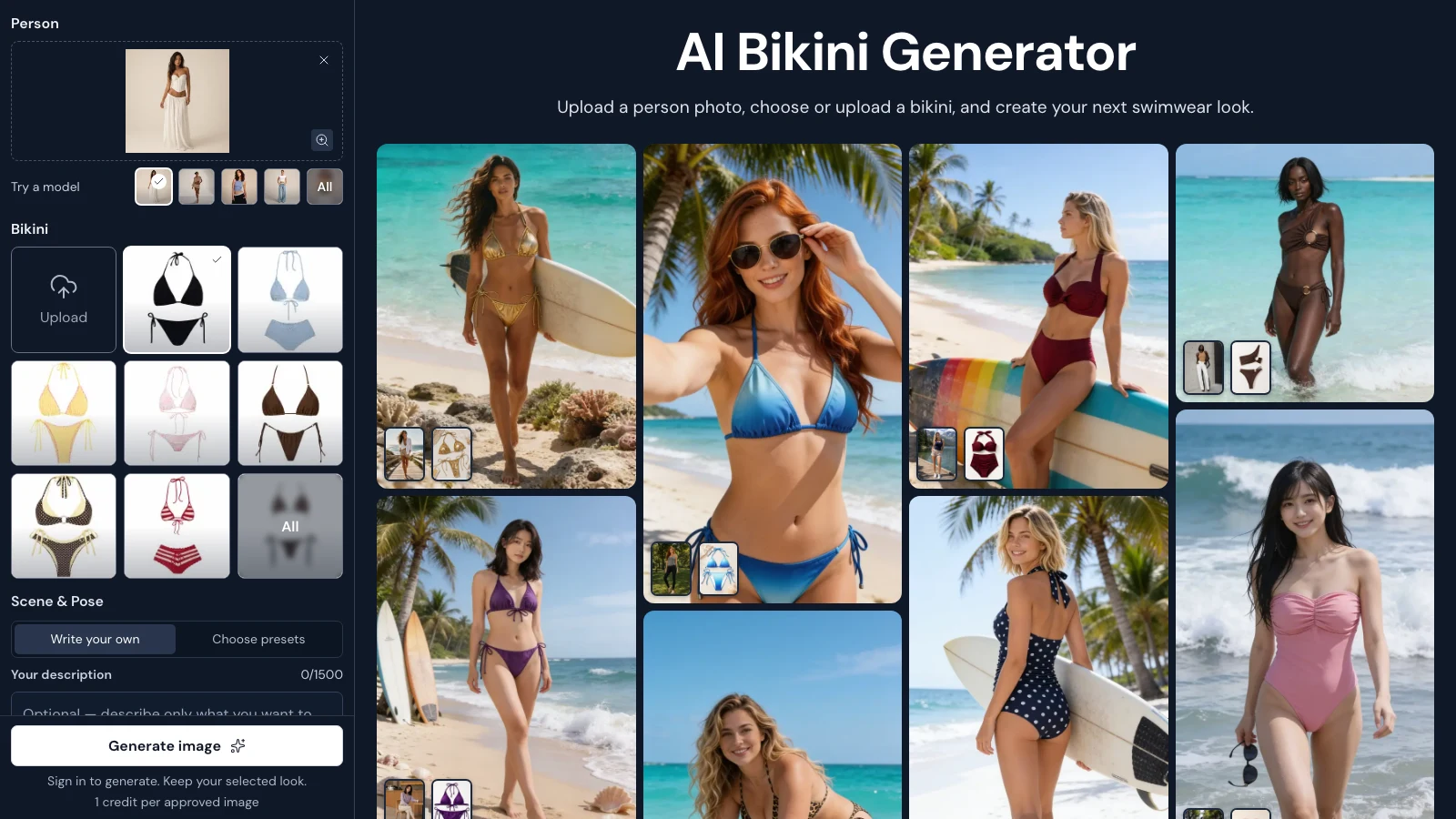
Choose your photo and bikini on the left, with example looks in the inspiration gallery on the right.
Our tool changes clothing only. Choose a photo with the pose, expression and background you want to keep, then add the bikini you would like to try. It does not support changing the person's pose, facial expression or background. Keep any written description focused on the clothing.
You can choose your photo and bikini in the browser before signing in. Generating requires a verified account. Eligible new accounts can claim three trial credits, and one approved, delivered image uses one credit at either 2K or 4K. Further use is available through memberships or credit packs.
If this matches your goal, the AI swimsuit changer guide covers the upload and review process in more detail.
When you want to try more than swimwear
A broader outfit editor is worth considering when your next edits include a summer dress, a work shirt, and a swimsuit. A wardrobe with several categories lets you explore those ideas in one place.
Area selection is another reason to check a general editor. For example, if you want to change only a shirt while keeping the trousers, a brush lets you mark just the part you want to change. AirBrush and BeautyPlus describe this kind of selection on their official pages. It still needs review around hair, hands, and garment edges.
Already use an editor with reference uploads and the controls you need? Try a small comparison before adding another tool. A specialist interface may make swimwear choices easier to find, but its name alone does not establish a quality advantage.
Check face, garment, pose, and background preservation
Use a clear photo and a visible garment reference when comparing tools. Start with the same person photo and swimsuit in each, so you can compare the clothing changes fairly.
Look beyond whether the finished image appears sharp. Does the face still resemble the source? Are the hands plausible? Do the straps connect properly, and does the waistband follow the body naturally? Check prints, ties, and coverage against the garment image. Review the background for changes around the person's outline.
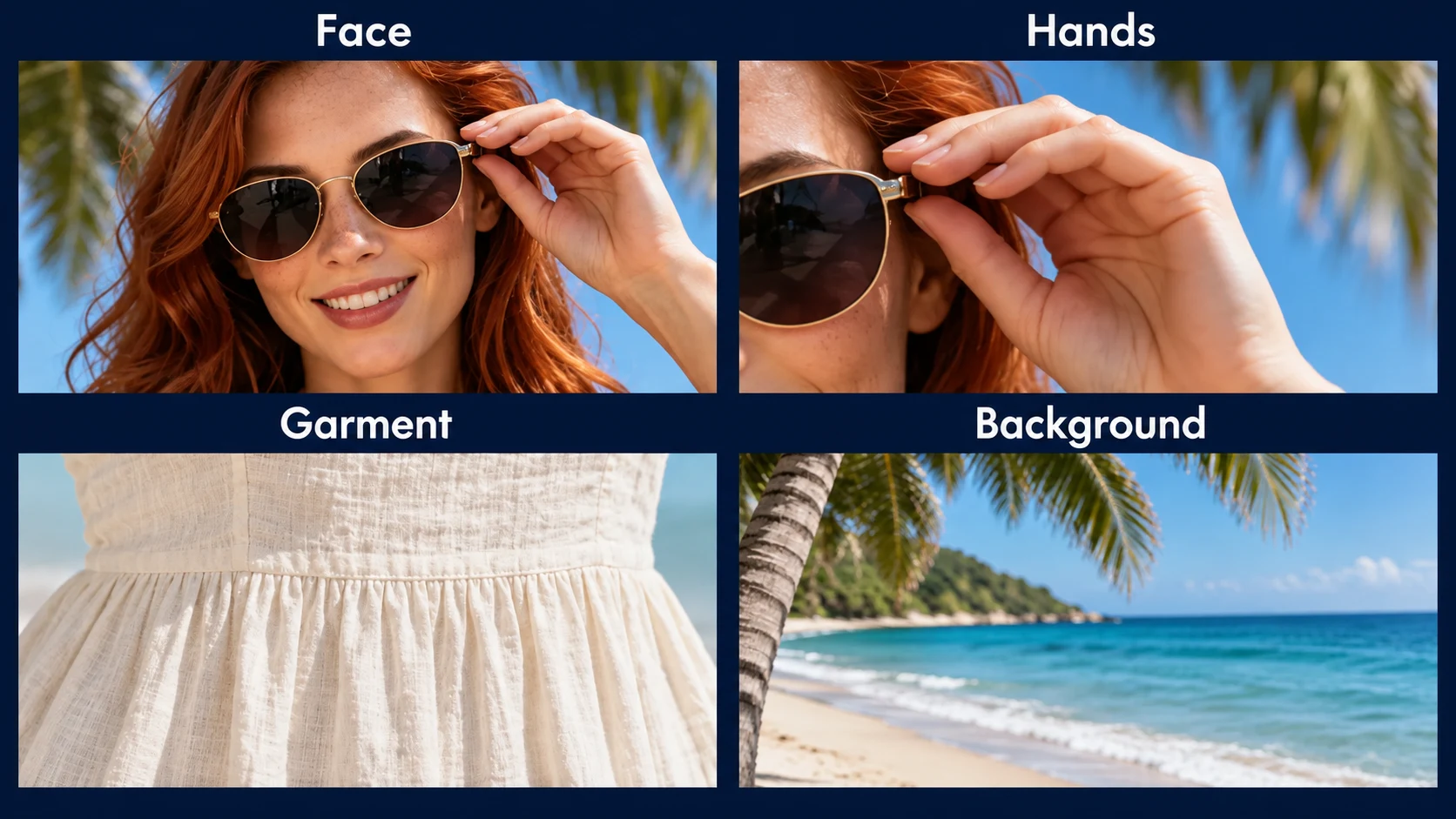
AI-generated inspection illustration using a summer-dress portrait. Check identity, hands, garment construction and background continuity when reviewing either kind of outfit edit.
Choose the pose, expression and background in your source photo before uploading it. In our tool, those parts of the photo are retained while the clothes change. Check for unintended differences afterward: a pleasing image can still be unsuitable if it changes your face or invents swimsuit details you wanted to keep.
Use generated images as styling previews. They do not establish a swimsuit's real-world size, support, or fit.
Can you use either option online without downloading an app?
Yes. The AirBrush, BeautyPlus, and Kaze pages linked above provide web entry points, and our tool runs in a browser. A download is not required to prepare references in AI Bikini Generator.
Check account requirements, trial limits, export conditions, and pricing for the particular product. Using it online does not necessarily mean unlimited free use. It also does not mean photos are processed locally on your device. Review the service's upload and retention information before providing a personal image; our own details are available in the privacy policy.
Which tool suits the look you want?
If you have a photo of yourself and a bikini you like, choose a tool that lets you add both. AI Bikini Generator is one option for trying that look. If you want to experiment with dresses, shirts, or just one part of your outfit, look for a clothes changer with those choices.
If either tool could work, try a few photos before buying more credits. Check how many tries it takes to get a result you like and whether you can download it at the size you want.
Frequently asked questions
Can an AI clothes changer turn a photo into a bikini photo?
Some can. AirBrush and BeautyPlus describe bikini styling on their clothes-changer pages. Check the specific tool's available controls and content rules before using it for an authorized adult photo.
Does an AI bikini generator always preserve the same face?
No category label guarantees identity preservation. Review the face, body shape, hands, and framing in each output. Person-reference support is a feature to look for, rather than proof that every result will match.
Can AI Bikini Generator change my pose, expression or background?
No. Our tool currently changes clothing only. Choose a source photo with the pose, expression and background you want to keep, then select the swimsuit you would like to try. Review the result for unintended changes.
Do I need a swimsuit reference image?
It depends on the tool. Text descriptions can communicate a general idea, while a garment reference gives you a specific design to guide the image and inspect afterward. In AI Bikini Generator, you choose your photo and select a bikini or upload a picture of one.
Is a dedicated bikini generator more realistic than a general clothes changer?
That requires a comparison of specific tools and outputs. Specialization can affect the interface and available presets, but it does not establish superior realism. Compare the same source photo, garment, and intended edit.
Conclusion
Your choice in an AI bikini generator vs. AI clothes changer comparison comes down to the look you want to try. For a new bikini photo, start with your own picture and a swimsuit you like. For a wider wardrobe, look for an editor with more outfit choices. Pick the one that gives you a result you feel happy with, after checking the face and clothing details.
Try a new bikini look with your own photo in the browser.